

In the realm of data storage and management, Network - Attached Storage (NAS) devices have become an indispensable part of both home and business setups. They offer a centralized location for storing, sharing, and accessing data across multiple devices. However, one critical aspect that often gets overlooked is the power protection for these NAS devices. This is where Uninterruptible Power Supply (UPS) battery backups come into play. As a supplier of cheap UPS battery backups, I'm often asked the question: "Can a cheap UPS battery backup be used for a NAS device?" Let's delve into this topic to find a comprehensive answer.
Understanding the Role of UPS for NAS Devices
A NAS device is essentially a specialized computer that runs continuously to provide data storage and access services. Power outages, surges, or fluctuations can cause significant damage to the NAS, including data corruption, hardware failure, and even permanent data loss. A UPS acts as a buffer between the NAS and the main power source. It provides immediate power when the main power fails, allowing the NAS to shut down gracefully, protecting the data and the hardware.
The Case for Cheap UPS Battery Backups
Cost - Efficiency
One of the most obvious advantages of using a cheap UPS battery backup is cost - efficiency. For small businesses or home users on a tight budget, investing in an expensive high - end UPS might not be feasible. A cheap UPS can still offer basic power protection at a fraction of the cost. This allows users to safeguard their NAS devices without breaking the bank.
Basic Power Protection
Even a low - cost UPS can provide essential power protection features. It can protect the NAS from power surges, spikes, and short - term outages. Most cheap UPS models come with surge protection capabilities, which can prevent damage to the sensitive electronic components of the NAS. They can also provide a few minutes of backup power, which is often sufficient for the NAS to perform a proper shutdown.
Compatibility
Many cheap UPS battery backups are designed to be compatible with a wide range of devices, including NAS units. They come with standard power outlets and can be easily connected to the NAS. Some models even offer software that allows users to configure the UPS settings and monitor the power status of the NAS.
Limitations of Cheap UPS Battery Backups
Limited Backup Time
One of the main limitations of cheap UPS battery backups is the limited backup time. They usually have smaller battery capacities, which means they can only provide power for a short period. For NAS devices that require a longer time to shut down properly or for users who need to keep the NAS running during extended power outages, a cheap UPS might not be sufficient.
Lower Quality Components
Cheap UPS models often use lower - quality components, which can affect their reliability and performance. The batteries may have a shorter lifespan, and the power regulation circuits may not be as precise as those in more expensive models. This can lead to issues such as inconsistent power output and premature battery failure.
Lack of Advanced Features
High - end UPS units often come with advanced features such as remote management, automatic voltage regulation (AVR), and network connectivity. These features allow users to monitor and control the UPS from a remote location, adjust the output voltage, and integrate the UPS with other network devices. Cheap UPS battery backups typically lack these advanced features.
Factors to Consider When Using a Cheap UPS for a NAS
NAS Power Requirements
Before choosing a cheap UPS for a NAS device, it's important to understand the power requirements of the NAS. Check the NAS's user manual or specifications to find out its power consumption in watts. Make sure the UPS has a sufficient power rating to support the NAS. A good rule of thumb is to choose a UPS with a power rating that is at least 20 - 30% higher than the NAS's power consumption.
Backup Time
Determine how long you need the NAS to run during a power outage. If you only need a few minutes to shut down the NAS gracefully, a cheap UPS with a short backup time may be sufficient. However, if you need the NAS to run for an extended period, you may need to consider a more expensive UPS with a larger battery capacity.
Quality and Reliability
Although cheap UPS battery backups are more affordable, it's still important to choose a reliable product. Look for UPS models from reputable manufacturers that have good customer reviews. Check the warranty and after - sales support offered by the manufacturer.
Our Product Offerings
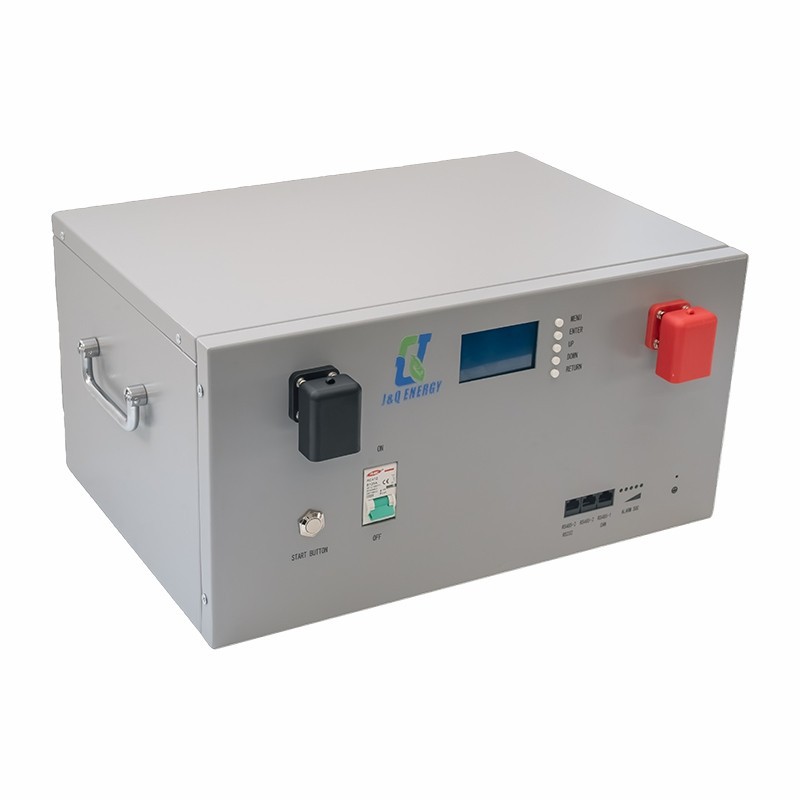
As a supplier of cheap UPS battery backups, we offer a range of products that can be suitable for NAS devices. Our Rack Mount Ups Battery Backup is designed to be installed in a rack, making it ideal for small business or data center setups. It provides reliable power protection and can be easily integrated with your NAS system.
Our 24 Volt Ups Power Supply is another option for NAS users. It offers a stable power output and can support NAS devices with different power requirements.
For users who need a more compact solution, our Compact Ups Battery Backup is a great choice. It takes up less space and can be easily placed near the NAS device.
Conclusion
In conclusion, a cheap UPS battery backup can be used for a NAS device, but it has its pros and cons. It can provide basic power protection at a low cost, but it may have limitations in terms of backup time, component quality, and advanced features. When choosing a cheap UPS for your NAS, consider the power requirements of the NAS, the desired backup time, and the quality and reliability of the UPS.
If you're interested in our cheap UPS battery backup products for your NAS device, we encourage you to reach out to us for more information and to discuss your specific needs. We're here to help you find the best power protection solution for your NAS.

References
- Schneider Electric. (2023). Understanding UPS Systems. Retrieved from Schneider Electric official website.
- APC by Schneider Electric. (2023). Protecting Your NAS with a UPS. Retrieved from APC official website.