

As a supplier of cheap UPS battery backups, I understand the importance of customizing the settings to meet the specific needs of different users. In this blog post, I will share some practical tips on how to customize the settings of a cheap UPS battery backup.
Understanding the Basics of UPS Battery Backup
Before we dive into the customization process, it's essential to have a basic understanding of how a UPS battery backup works. A UPS, or Uninterruptible Power Supply, is a device that provides emergency power when the main power source fails. It typically consists of a battery, an inverter, and a charger. The battery stores electrical energy, and the inverter converts the DC power from the battery into AC power that can be used by your devices.
Customizing the Settings
1. Power Output and Capacity
The first step in customizing your UPS battery backup is to determine the power output and capacity you need. This depends on the number and type of devices you want to connect to the UPS. To calculate the power requirements, you need to know the wattage of each device. You can usually find this information on the device's label or in the user manual.
Once you have the total wattage, you can choose a UPS with a sufficient power output. It's recommended to choose a UPS with a power output that is at least 20% higher than your total wattage to ensure that it can handle the load.
For example, if your total wattage is 500 watts, you should choose a UPS with a power output of at least 600 watts.
2. Battery Runtime
Another important setting to customize is the battery runtime. The battery runtime refers to the amount of time the UPS can provide power to your devices when the main power source fails. This depends on the battery capacity and the power consumption of your devices.
To calculate the battery runtime, you can use the following formula:
Battery Runtime (hours) = Battery Capacity (Ah) x Battery Voltage (V) / Power Consumption (W)
For example, if you have a UPS with a battery capacity of 7Ah and a battery voltage of 12V, and your devices consume 50 watts of power, the battery runtime would be:
Battery Runtime = 7Ah x 12V / 50W = 1.68 hours
You can adjust the battery runtime by choosing a UPS with a higher battery capacity or by reducing the power consumption of your devices.
3. Alarm Settings
Most UPS battery backups come with alarm settings that can be customized. These alarms can notify you when the battery is low, when the main power source fails, or when there is a problem with the UPS.
You can customize the alarm settings to suit your needs. For example, you can set the alarm to sound when the battery level drops below a certain percentage or when the main power source fails. You can also choose to receive notifications via email or SMS.
4. Charging Settings
The charging settings of your UPS battery backup are also important. You can customize the charging time, the charging rate, and the charging voltage.
The charging time refers to the amount of time it takes to fully charge the battery. You can adjust the charging time based on your needs. For example, if you need to use the UPS frequently, you may want to set a shorter charging time.

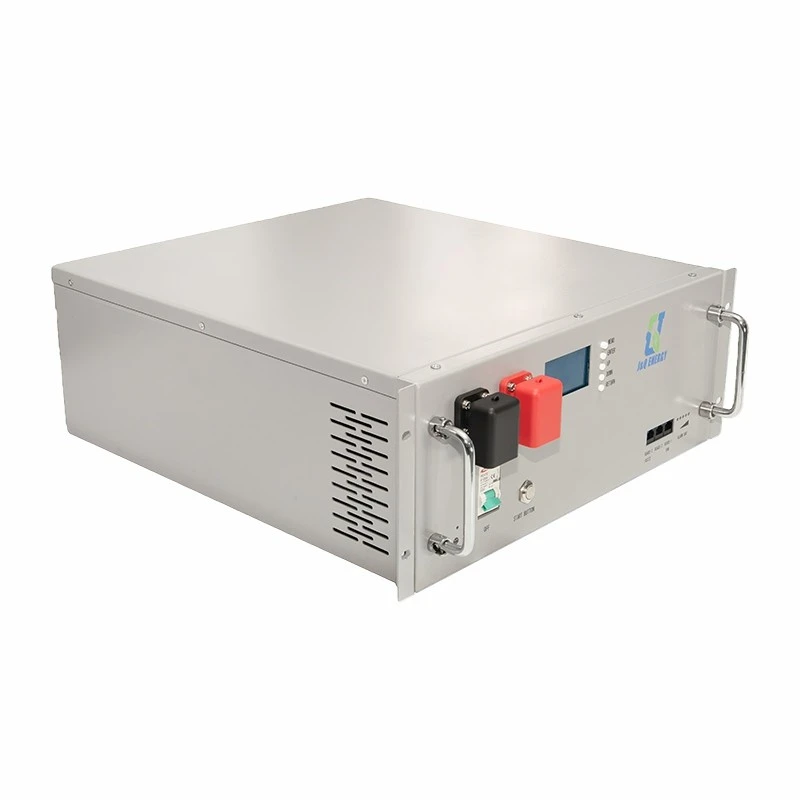
The charging rate refers to the speed at which the battery is charged. You can choose a higher charging rate to charge the battery faster, but this may also reduce the battery's lifespan.
The charging voltage refers to the voltage at which the battery is charged. You should choose a charging voltage that is compatible with the battery's specifications.
Additional Considerations
1. Compatibility
When customizing the settings of your UPS battery backup, it's important to ensure that the settings are compatible with your devices. Some devices may have specific power requirements or may not be compatible with certain UPS models.
Before you make any changes to the settings, make sure to check the user manual of your devices and the UPS to ensure compatibility.
2. Safety
Safety is always a top priority when using a UPS battery backup. Make sure to follow the manufacturer's instructions and safety guidelines when customizing the settings.
For example, you should never overload the UPS or connect devices that consume more power than the UPS can handle. You should also avoid using the UPS in wet or humid environments.
3. Maintenance
Regular maintenance is essential to ensure the proper functioning of your UPS battery backup. You should check the battery regularly to ensure that it is charged and in good condition. You should also clean the UPS and its components to prevent dust and debris from accumulating.
Conclusion
Customizing the settings of a cheap UPS battery backup can help you meet the specific needs of your devices and ensure that you have reliable backup power when you need it. By following the tips outlined in this blog post, you can customize the power output, battery runtime, alarm settings, and charging settings of your UPS battery backup.
If you are interested in purchasing a cheap UPS battery backup or have any questions about customizing the settings, please feel free to [contact us for procurement and negotiation]. We offer a wide range of Commercial Ups Power Supply, Industrial Ups Power Backup, and 24 Volt Ups Power Supply to meet your needs.
References
- Manufacturer's user manuals for UPS battery backups
- Electrical engineering textbooks on power systems and battery technology